From request to priced trip, just by asking

Describe the trip in plain words, paste the client’s email or say it out loud. Nitro AI builds the programme day by day, finds the suppliers and prices it from your own contracts.

Every line it adds waits as a draft. You review it, change what you want and approve it before anything reaches your client.
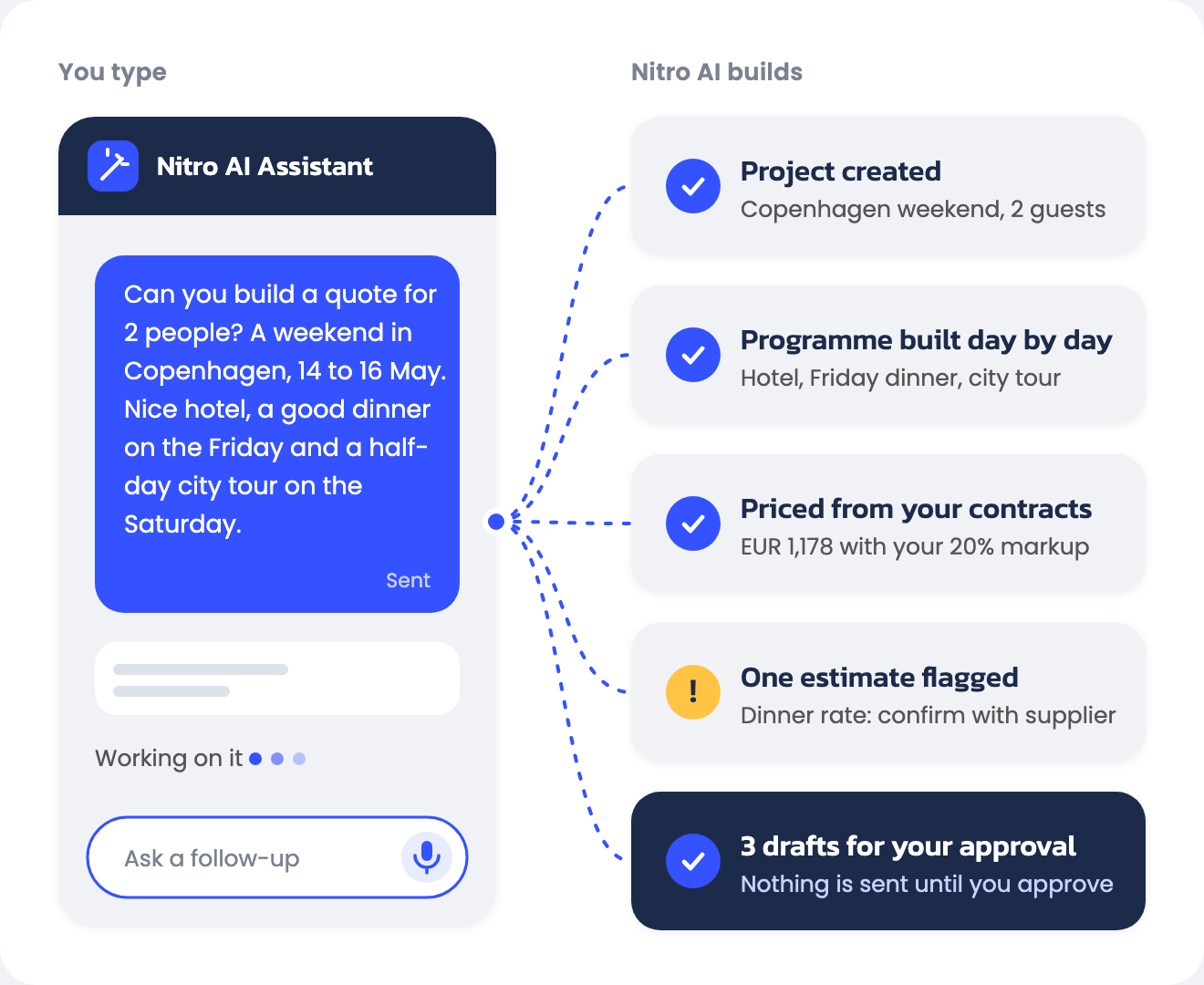
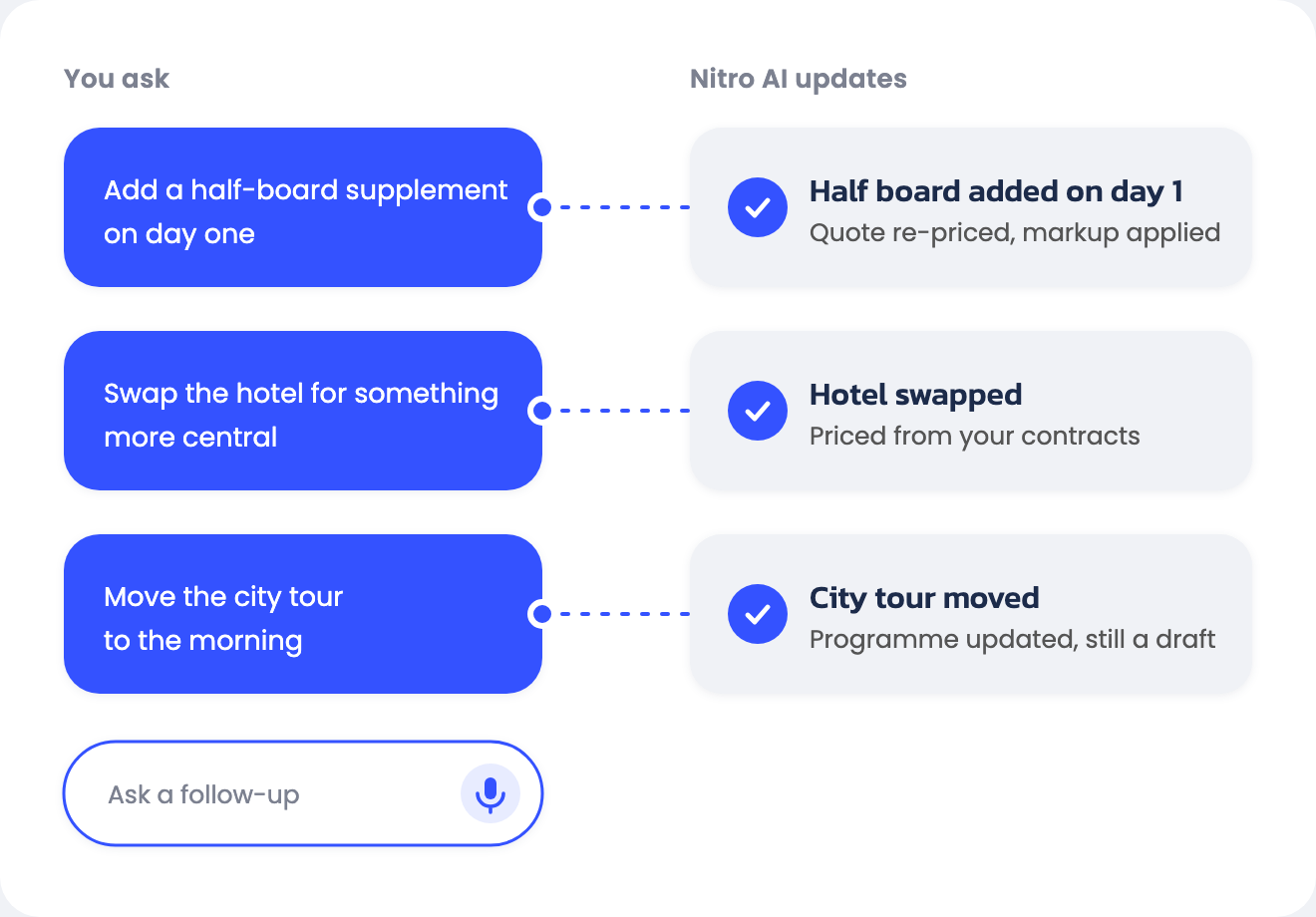
Diagram: a short typed request to Nitro AI becomes a project, a day-by-day programme priced from your contracts, one flagged estimate and 3 drafts for your approval
Diagram: three follow-up requests (add half board, swap the hotel, move the city tour) each updating the quote in Nitro AI

How it works

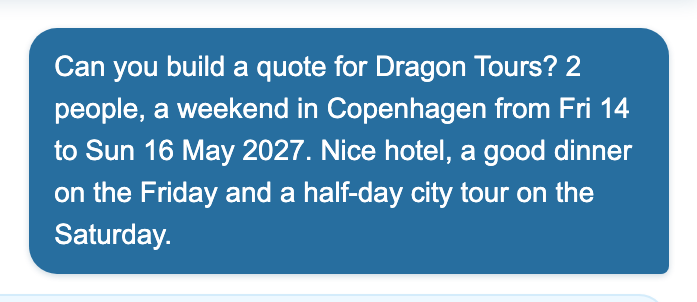
A short typed request to Nitro AI: quote for 2 people, weekend in Copenhagen

01

Describe the tour

Type the request, paste the client’s email or say it out loud. Dates, destinations and group size are enough to start.

↓

02

Nitro AI builds it

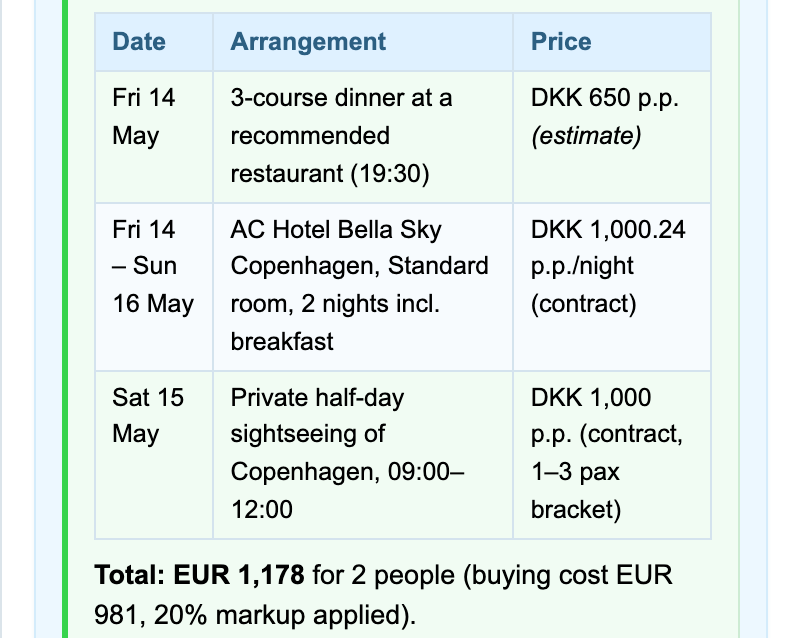
It creates the project, lays out the days and picks your contracted hotels, guides and transport. Its answer says which prices came from a contract and which are estimates.

Nitro AI answer: programme with hotel and city tour at contract rates and the dinner marked as an estimate

↓

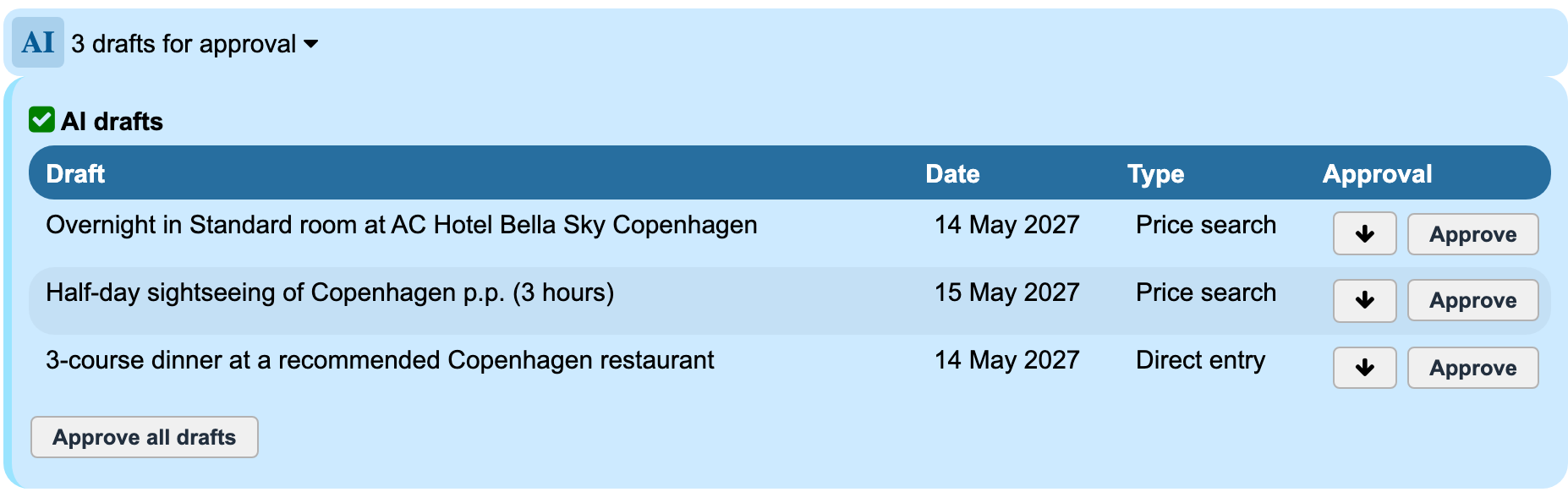
Three AI drafts waiting for approval in the tour builder with Approve and Approve all drafts buttons

03

You approve

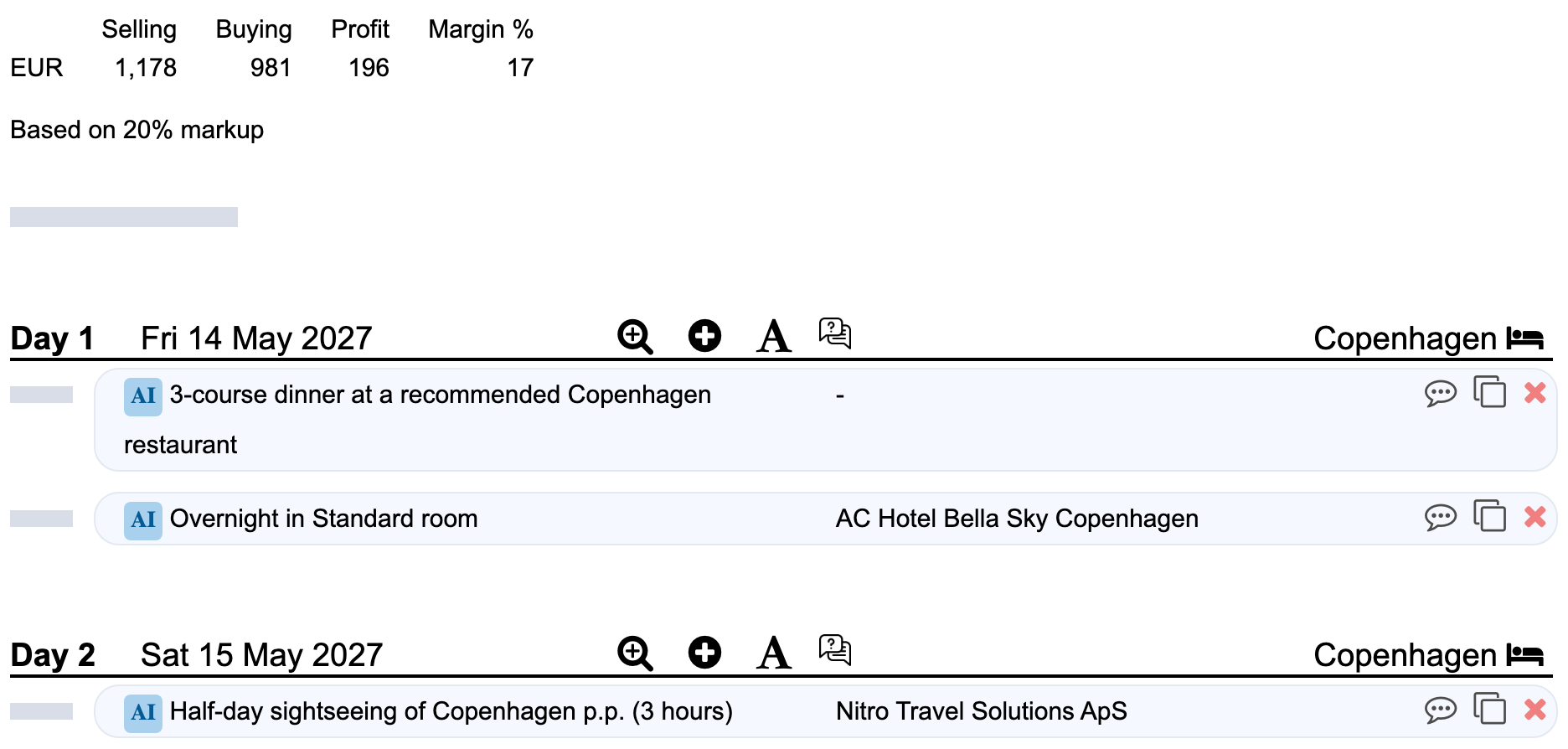
Every line carries an AI badge and waits as a draft. Review it, change it or approve it before anything reaches your client.
AI-built outline with selling, buying and profit from contract rates

AI drafts. You approve.

One assistant for the busywork around your quotes

Frequently asked questions

Will it make up prices?

No. It prices from the contracts you have loaded in Nitro and marks each one. When a rate is missing it makes an estimate, flags it in its answer and tells you what to confirm. Every line still waits for your approval.

Where is my data processed?

By default Nitro AI uses Mistral AI models hosted in Europe. You can opt in to US-hosted OpenAI models, and Nitro then blocks the assistant’s access to your projects. Supplier contracts are fine to share in that mode, personal data is not.

Can the AI send anything to a client?

No. Everything it adds is saved as a draft with an AI badge. Your team approves drafts one at a time or all at once before they become part of the offer, and sending the offer stays in your hands.

Does it replace our producers?

No. It does the slow first pass: reading the request, finding the services and pricing them. Choosing suppliers, shaping the programme and talking to the client stay with your team, who now start from a priced draft instead of a blank project.

How do I see what the AI did?

Each draft shows its type: price search, direct entry or text. The chat lists every action it performed, and with “See AI work live” switched on you can watch it open each screen as it builds.

What if we have not loaded all our rates?

The assistant flags what is missing and estimates where it can, so you still get a full draft. It can also help you load supplier rates from a contract, and our onboarding team helps with the rest.

Is it available in my account?

Nitro AI is live for Nitro customers. Open AI Assistant at the bottom of the left menu to start, or ask your account manager to walk you through it.