It is two computer systems automatically sharing information with each other. Instead of a staff member copying details from Nitro into another program by hand, the two programs talk directly, which saves time and avoids typing mistakes.
Let Nitro talk with what you already use
An integration just means two systems pass information to each other automatically, instead of someone retyping it by hand. Nitro is already built to connect with the tools your team uses, so a trip built once can flow straight into your itinerary software or accounting tool, no IT department required.
How you connect
Dedicated integration
Wetu
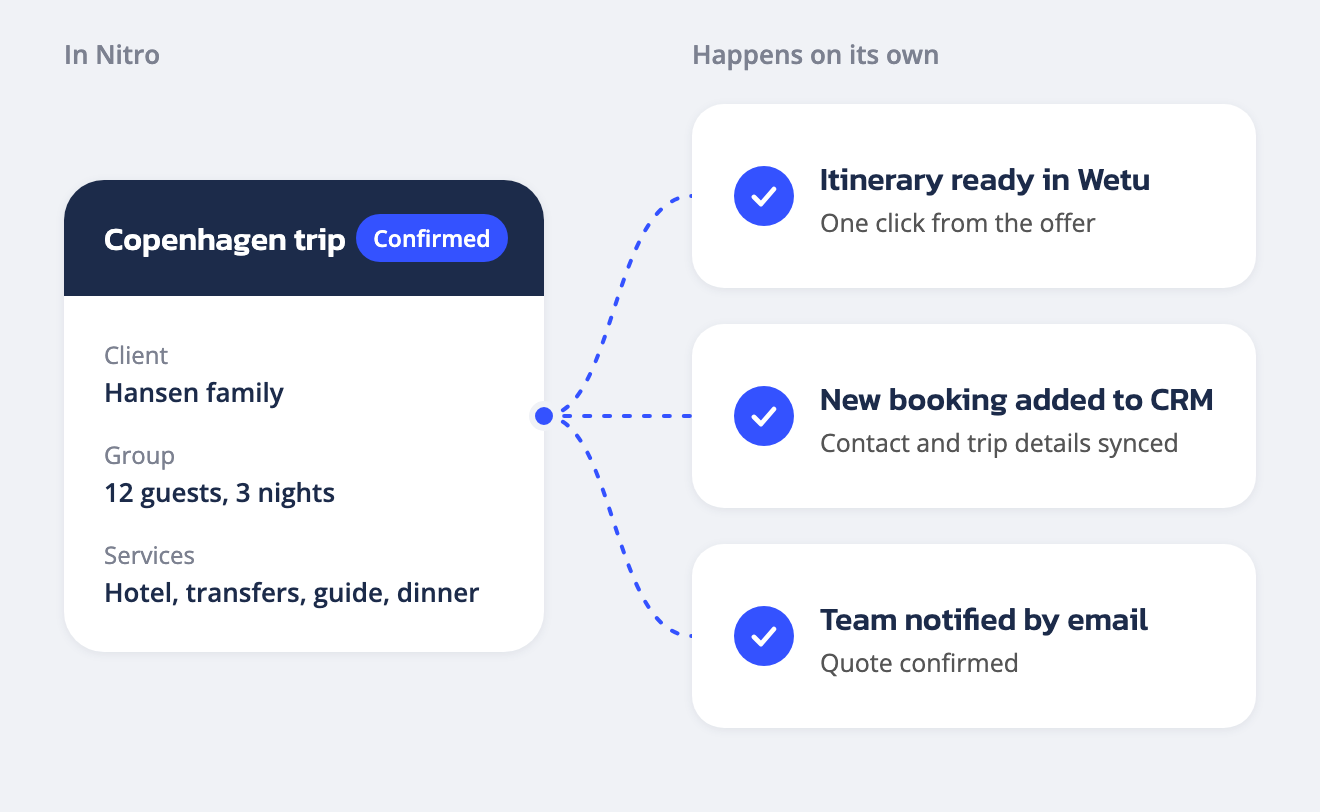
Wetu is itinerary software many DMCs already use to build polished, image-rich trip proposals. It is a dedicated Nitro integration, so there is no manual setup beyond linking your account once.
No code
Zapier
Zapier is a no-code bridge between more than 3,000 everyday apps, including Microsoft Outlook and Excel, Google Sheets, QuickBooks and Xero. Connect Nitro to Zapier and it can reach all of them, with clicks, not code.
Custom build
API
An API is a way for two systems to exchange data directly. This route is for a developer, yours or ours, to build something fully custom on top of Nitro. Included in your license fee, no extra cost.
AI assistants
MCP
Nitro also runs its own MCP server, the emerging standard that lets AI assistants like Claude or ChatGPT connect to outside tools. Point your assistant at Nitro and it can read your data and take action directly. It is how our own AI rate importer works behind the scenes.
How a Zap works
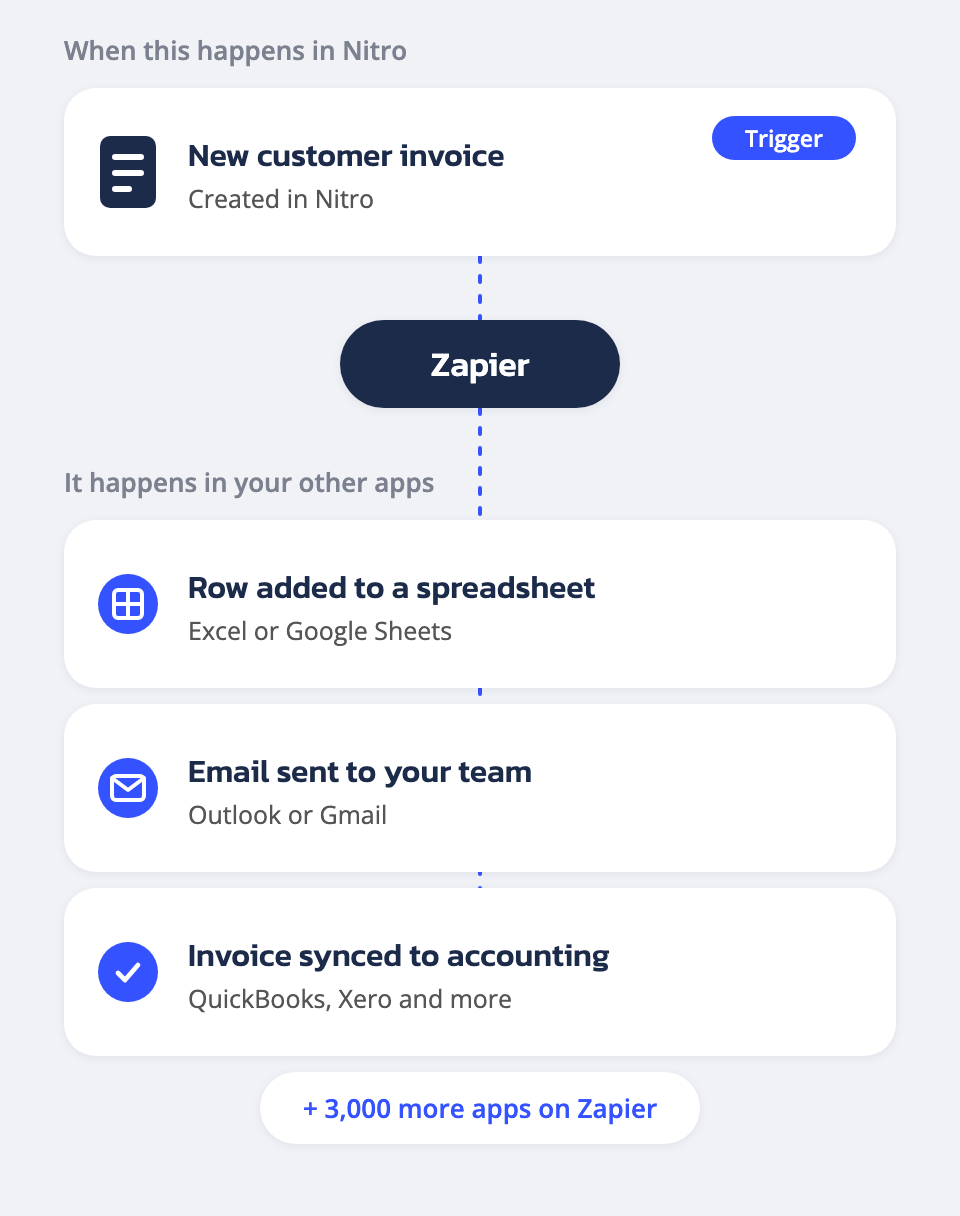
An example Zap: a new customer invoice in Nitro adds a row to a spreadsheet, emails your team and syncs to accounting.
Automate the busywork, no code required
Think of Zapier as a translator between Nitro and the other software your team already uses. You pick a trigger, like a booking being confirmed in Nitro, and an action, like adding it to your accounting tool or notifying your team by email. Zapier handles the rest.
Push a new booking to your CRM, sync an invoice to your accounting tool, add trip dates to a shared calendar, or fire off an email the moment a quote is confirmed. No developer needed: if it exists on Zapier, it can talk to Nitro.
Zapier connects over 3,000 apps, which means Nitro can connect to Microsoft tools such as Outlook, Excel, Teams and SharePoint, as well as Google Workspace, Slack, HubSpot, QuickBooks, Xero and many more.
For example, set up a Zap that watches for “New Customer Invoice” in Nitro, and the moment one is created the details land in a Google Sheet, an accounting tool, or wherever you need them. No one has to open the invoice and copy anything across by hand.
Automatic supplier invoice registration with Navidoc
A tour operator receives far more supplier invoices than client invoices, because every trip involves many suppliers. Each invoice has to be registered before anyone can check or pay it.
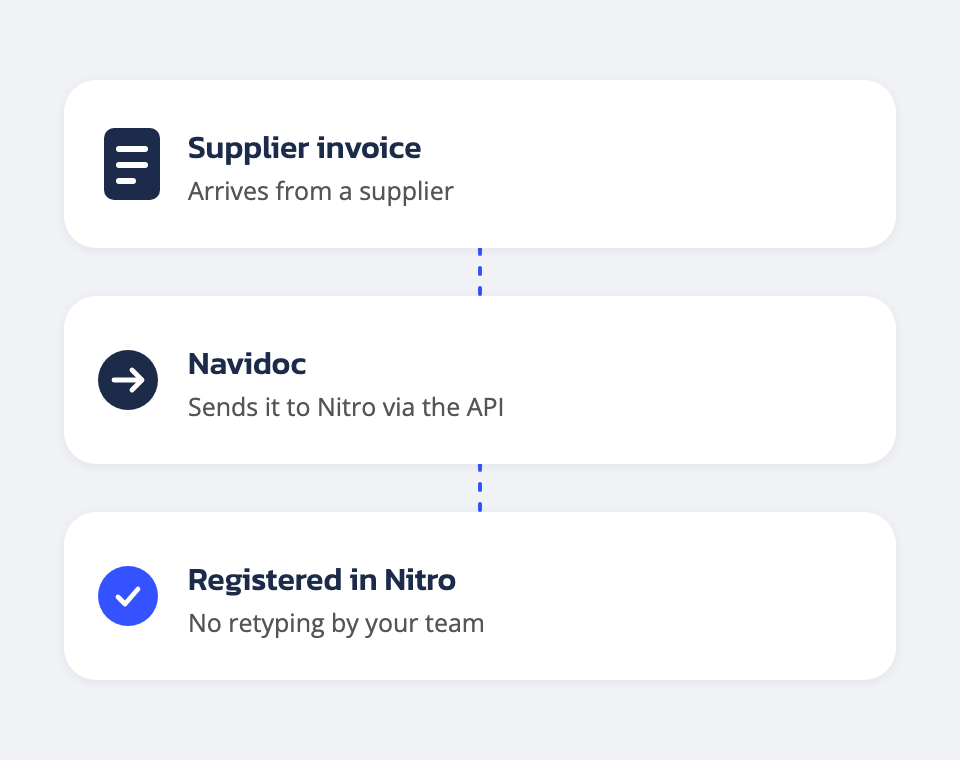
Navidoc solved this by building its connection to Nitro on our API. The API gives other software direct access to booking and invoice data, so Navidoc can register supplier invoices in Nitro automatically, with no one retyping invoice details by hand.
Your accounts team can then spend their time on the invoices that need a second look, instead of keying in the ones that do not.
It is a good example of what the API makes possible: another company’s tool plugging straight into Nitro. API access is included in your license fee, and the API documentation is open to any developer, yours or ours.
Integration in practice
Frequently asked questions
Does Nitro connect to our other tools?
Yes. Nitro integrates with Wetu for itineraries, with Zapier for 3,000+ other applications, including Microsoft tools like Outlook and Excel, and offers a token authenticated API for custom work.
Can supplier invoices be registered in Nitro automatically?
Yes. Navidoc uses the Nitro API to register supplier invoices in Nitro automatically, without anyone retyping them by hand.
What is Zapier, in simple terms?
Zapier is a service that connects over 3,000 everyday apps, such as email, spreadsheets, CRMs and accounting tools, without any coding. Because Nitro connects to Zapier, it can work with Microsoft tools like Outlook and Excel too. You choose what should happen in one app when something happens in another, and Zapier does the connecting for you.
Can Nitro connect to Microsoft tools like Outlook and Excel?
Yes. Zapier connects over 3,000 apps, including Microsoft Outlook, Excel, Teams and SharePoint, and Nitro connects to Zapier. For example, a confirmed booking in Nitro can add a row to an Excel sheet or send an Outlook email automatically, with no code.
Is there an extra cost for using Wetu?
No. The Wetu integration itself is included in your Nitro subscription. Wetu is a separate product with its own subscription, billed directly by Wetu based on your plan with them.
Do I need a developer to set up Zapier?
No. Zapier is point-and-click. You connect Nitro to another app through pre-built triggers and actions, no code required.
Is the API included in my plan?
Yes. API access from the Nitro side is included in your license fee, at no extra cost. It is only relevant if you have a developer who wants to build something custom.
Can an AI assistant connect to Nitro directly?
Yes, through Nitro’s MCP server. If your team already uses an AI assistant like Claude or ChatGPT, it can connect straight to your Nitro account and read or update your data through the assistant, the same way our own AI rate importer does.
Do I need to reconnect Wetu every time?
No. You connect your Wetu account once. After that, generating an itinerary from a Nitro offer is one click.